Simplified complex financial workflows and established scalable design system foundations to improve consistency across multiple digital platforms.

Overview
In 2021, I joined a fintech company - Rapipay. It is a growing startup that offers a wide suite of banking & financial services such as payment services, POS solutions, and enterprise loans. Had an ongoing big project known as the financial super app NYE.
What is NYE?
NYE is a fintech app that provides financial services such as prepaid cards, open bank accounts, loans, cash deposits, investments, insurance, and more.
My Role
I was responsible for understanding user flows, making design decisions & rapid prototyping based on feedback received from the Design team and Product team.
Our Users
The primary target users of NYE are small business owners and merchants within RapiPay’s Direct Business Outlet network.
Secondary target users from tier-2 and tier-3 cities who may be new to digital banking.

NYE Prepaid (Wallet)
The nomenclature for the Wallet was defined as NYE Prepaid. The purpose of the NYE Prepaid is providing as digital storage space for money to make quick and convenient cashless payments.
Problem Statement
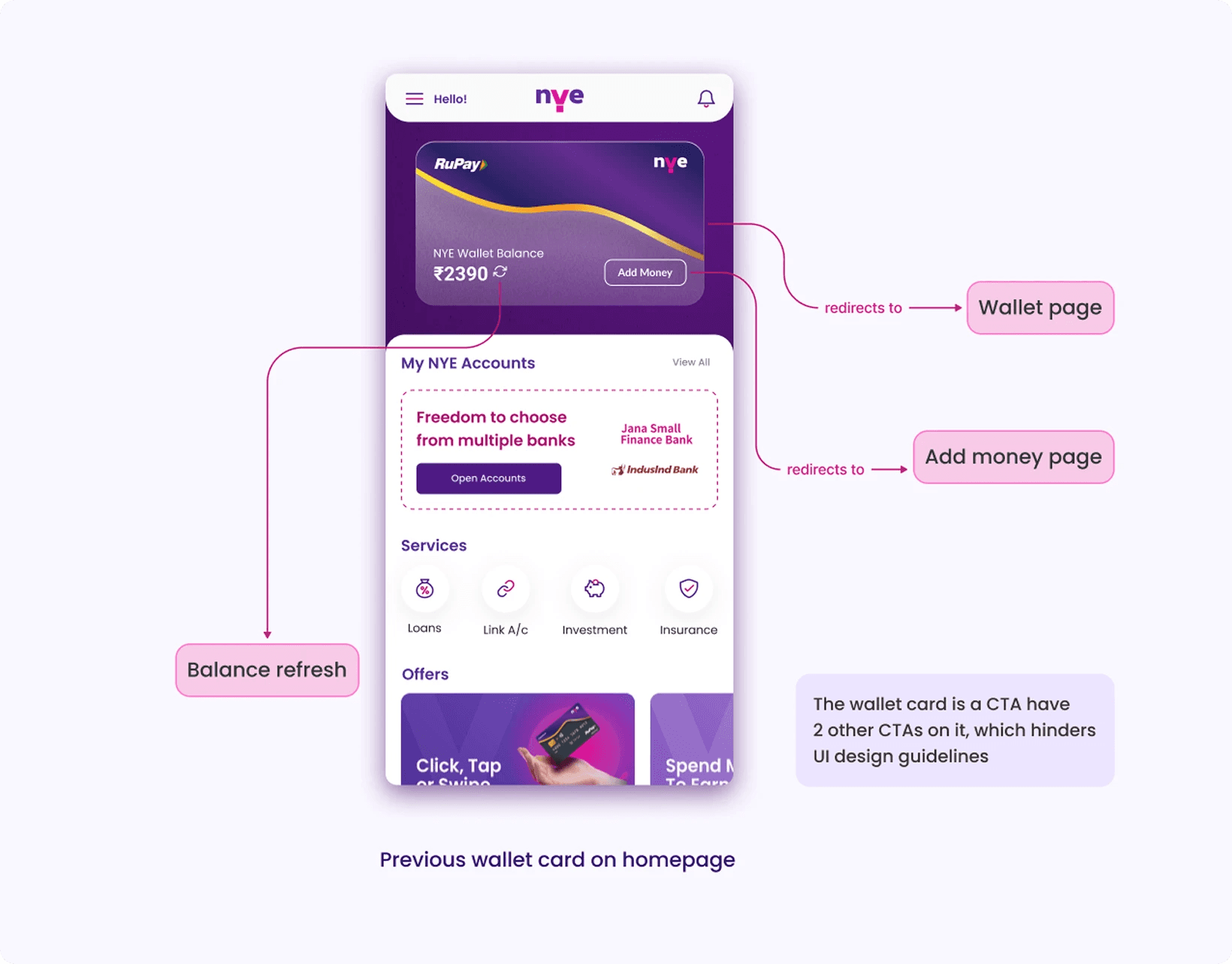
The NYE Prepaid card on the homepage is itself clickable and redirects to the Wallet page along with 2 CTAs on the card - ‘Add Money’ & ‘Refresh’ button
The Visual of the card is not attractive enough for user to click on it
Revised requirements
The user should be able to view Card details
They should be able to access Transaction history
Redesign the NYE Prepaid card visual
Proposed Solution
Based on market research and brainstorming, many iterations took place to provide a premium look to the NYE Prepaid card on the homepage and Wallet page.
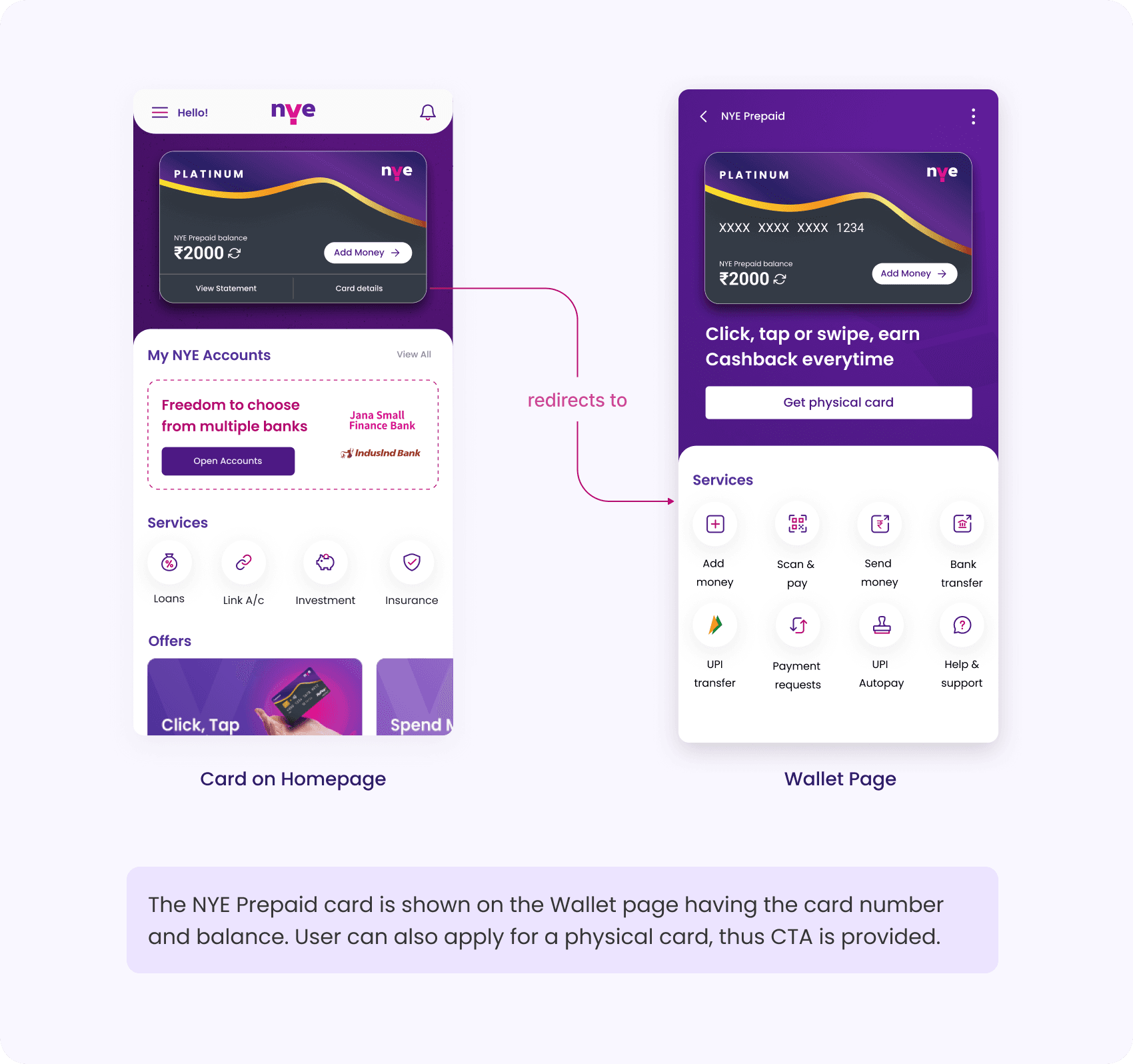
This is the comparison of before and after the NYE Prepaid redesign on the Homepage.

For Desktop WebApp

UPI Autopay (mandate)
UPI Autopay project is focused on introducing mandate in NYE App. The basic requirements were brainstormed with Product and business teams. It involves collaborating with UX Researcher and Content writer to simplify the overall user experience.
Objective
To provide a seamless experience while creating a mandate and easy to understand step by step flow for first time users.
During research phase, we discovered that 70% of users were unfamiliar with the concept of UPI Mandates and how it worked, which may contribute to their confusion while navigating the feature
To solve this, we renamed UPI Mandate --> UPI Autopay
which is almost self explanatory to users, also designed and implemented an in-app tool tip that provided users with clear explanations of UPI Mandates and their benefits.
Sitemap

Visual Design
We took visual and functional inspiration from the existing financial apps having autopay feature such as HDFC, Google Pay, etc.
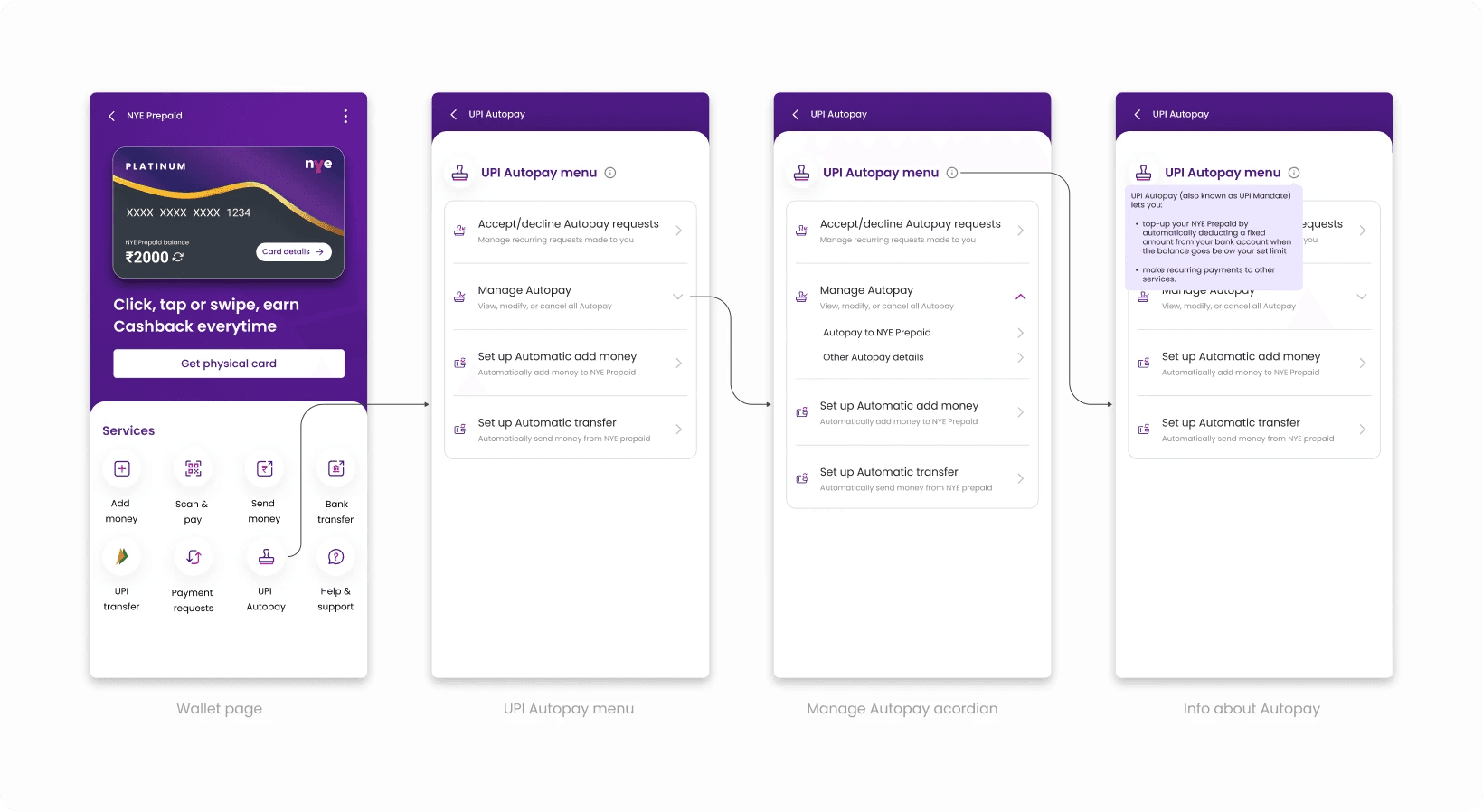
Autopay Menu
It consists of Autopay requests, Manage Autopay (includes Autopay from NYE Prepaid & Autopay to NYE Prepaid), Setup Automatic Add Money, and Automatic Transfer.
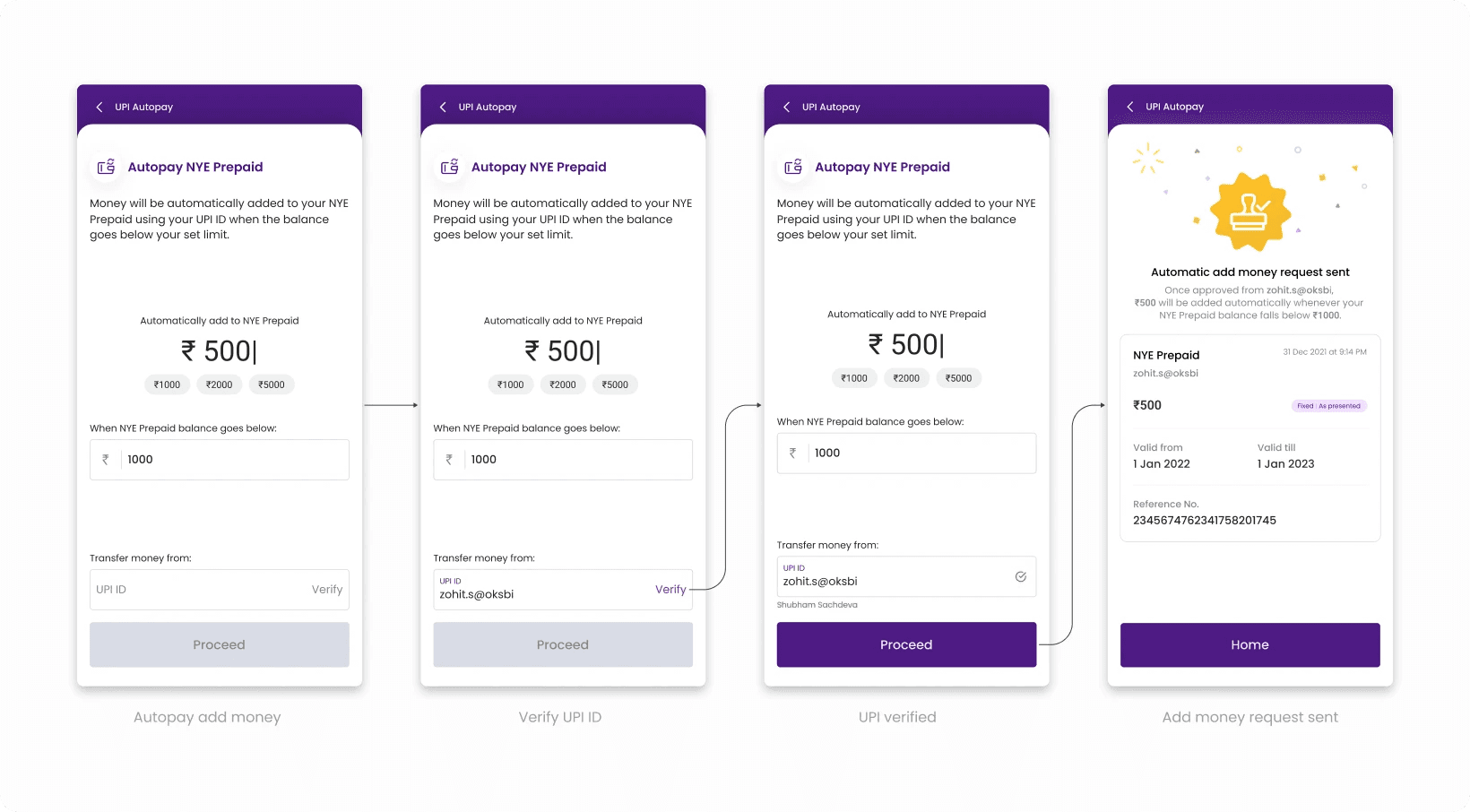
Automatic add money
Autopay from NYE Prepaid created for automatic Add money when the balance goes below a set limit. The user flow is shown below.
Automatic transfer
The user can set Autopay by adding the beneficiary UPI ID and set the frequency.

Accept/decline requests
The user can accept and decline the autopay request.

Manage Autopay
Users can review autopay history and modify or cancel it as required.
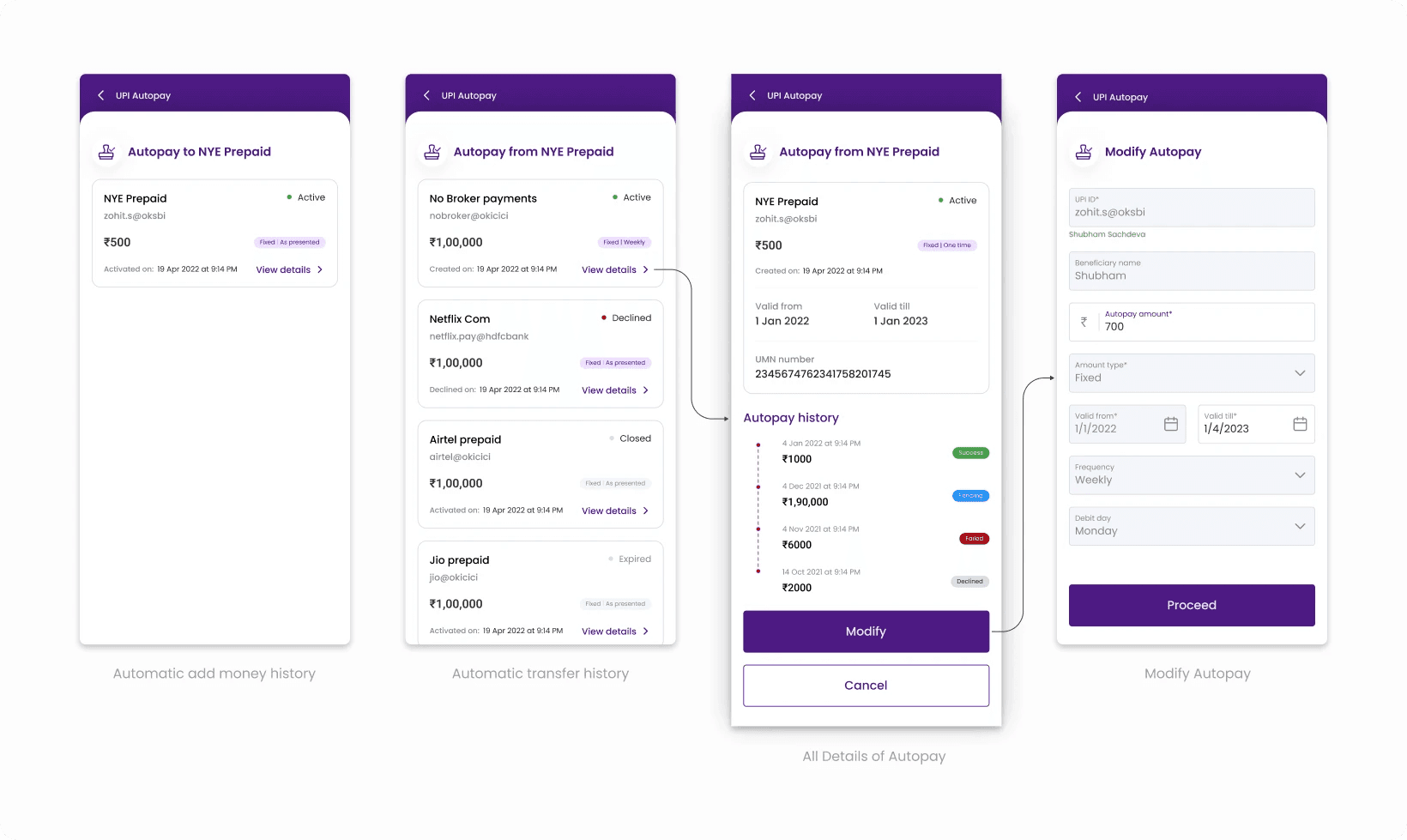
In post research and usability testing, 80% of users were able to understand the UPI mandate concept and navigate the feature successfully.
Payment system
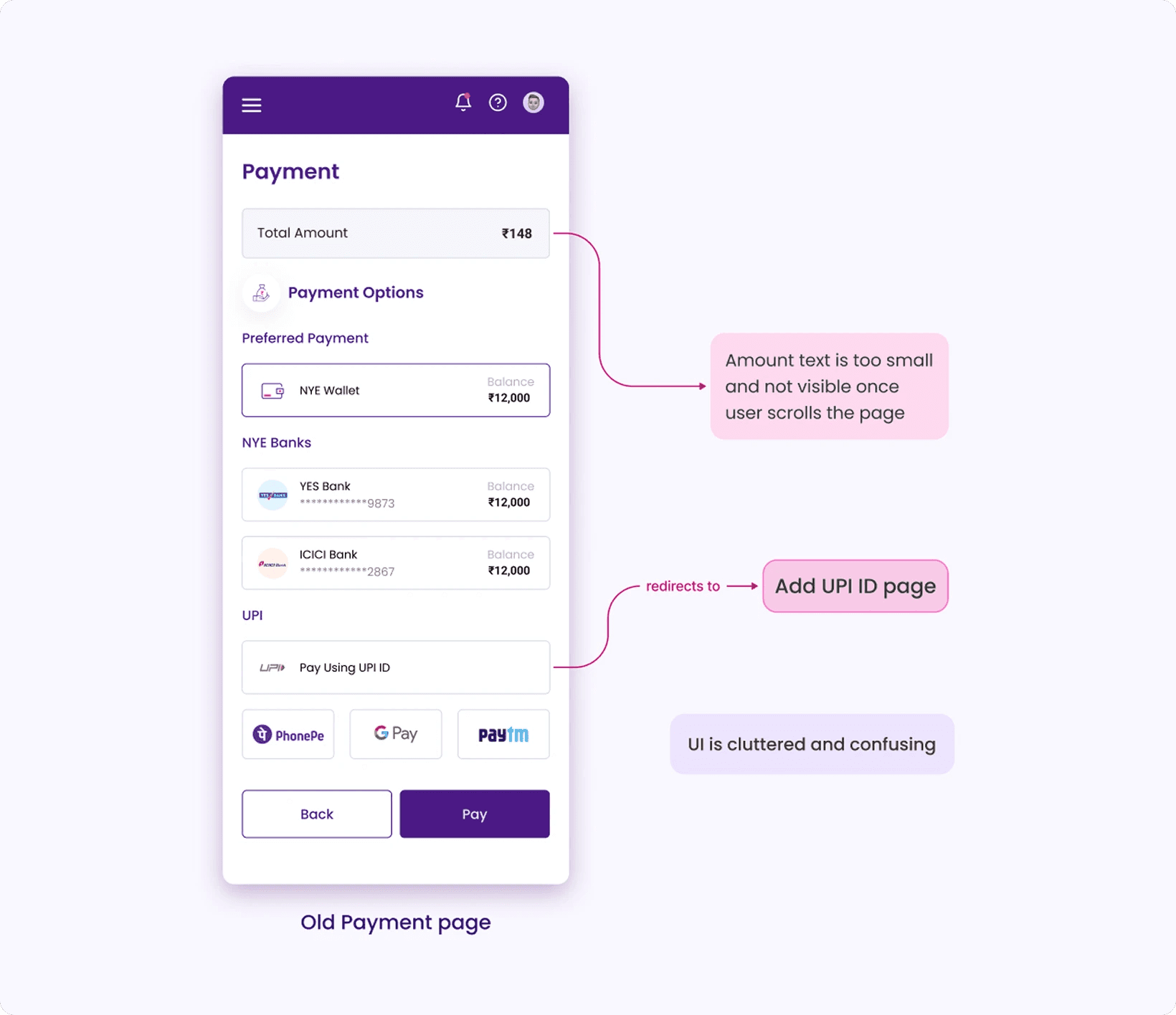
Initially, the payment system of the app was less functional and required changes.
Problem Statement
As shown below, the UI looks cluttered and confusing to users
Based on users feedback, it was found that they face difficulty in identifying selected payment option
Also if user needs to add a UPI ID, they are redirected to a different page; thus time consuming navigation
Revised requirements
They should be able to select UPI ID from saved UPI IDs
They should be able to add other payment options as preferred payments as well
Add info - Add money at RapiPay Agent outlet
Add info - Add money with NEFT or IMPS
Goal
To create a seamless payment experience so that user doesn’t drop in between without completing their transactions.
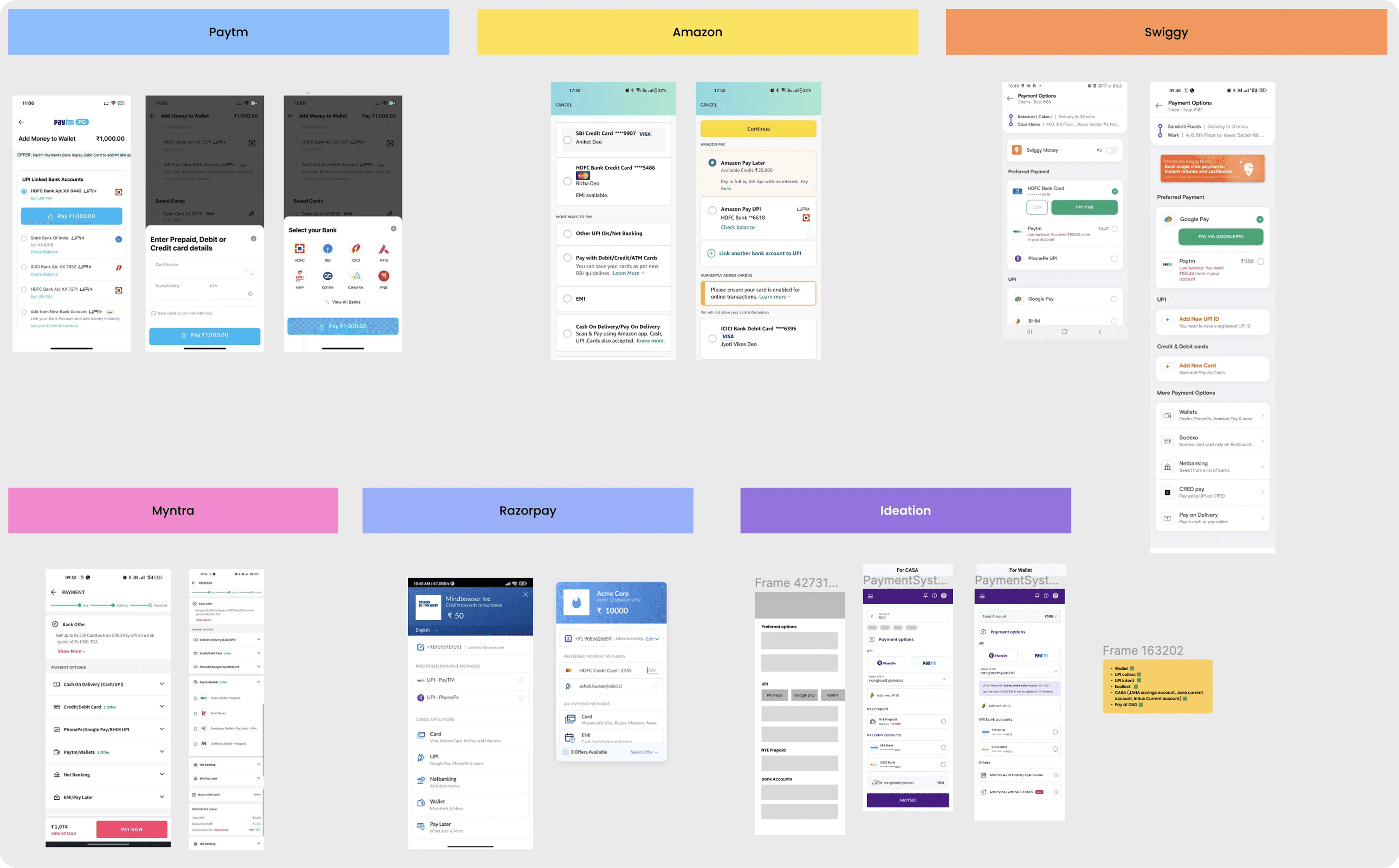
References and ideation
Referred to some good examples of Payment system visuals and UX in some apps.
Visual Design
The user flow of the payment is shown below.
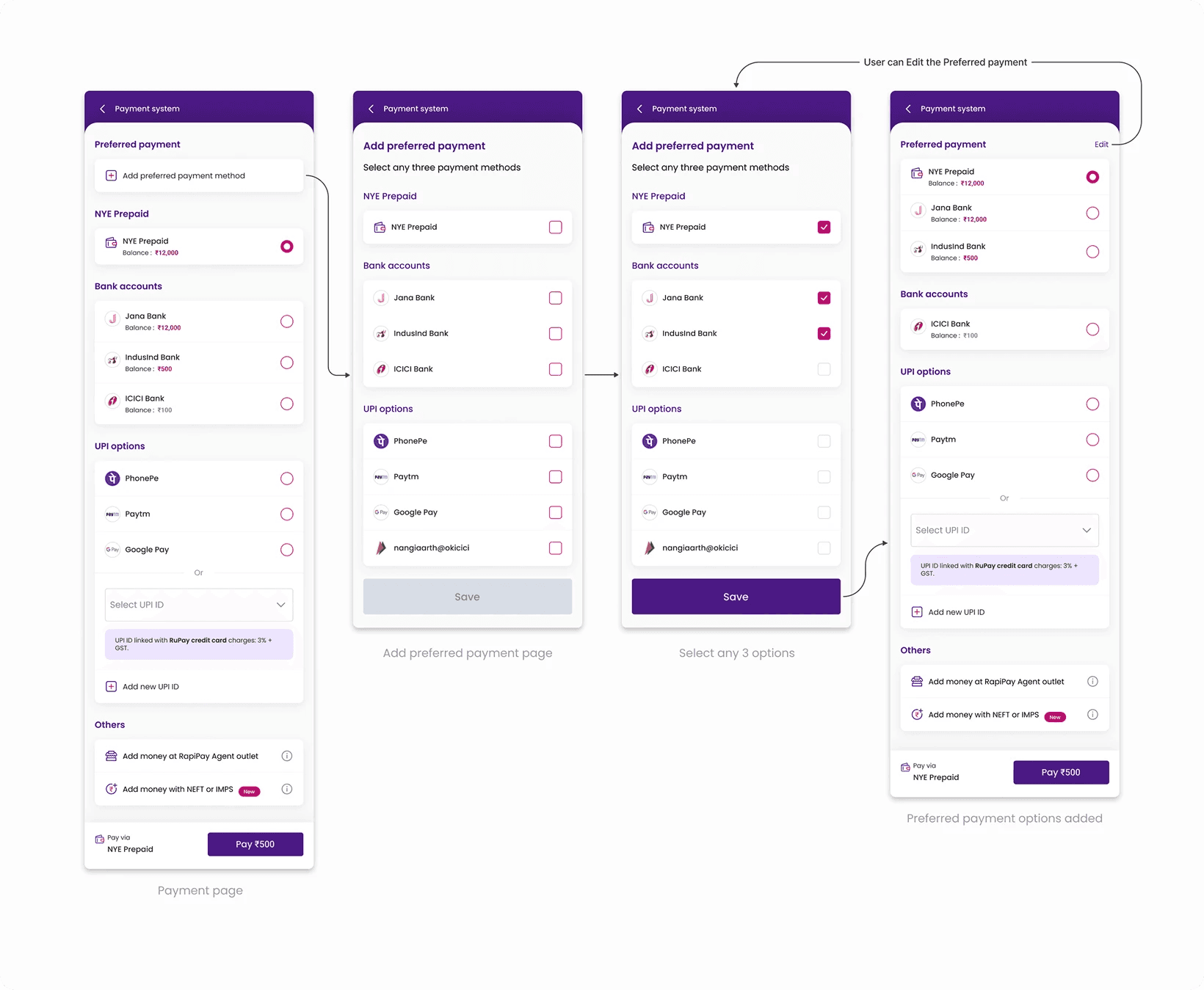
This is the comparison of before and after of the Payment page redesign.

Design System
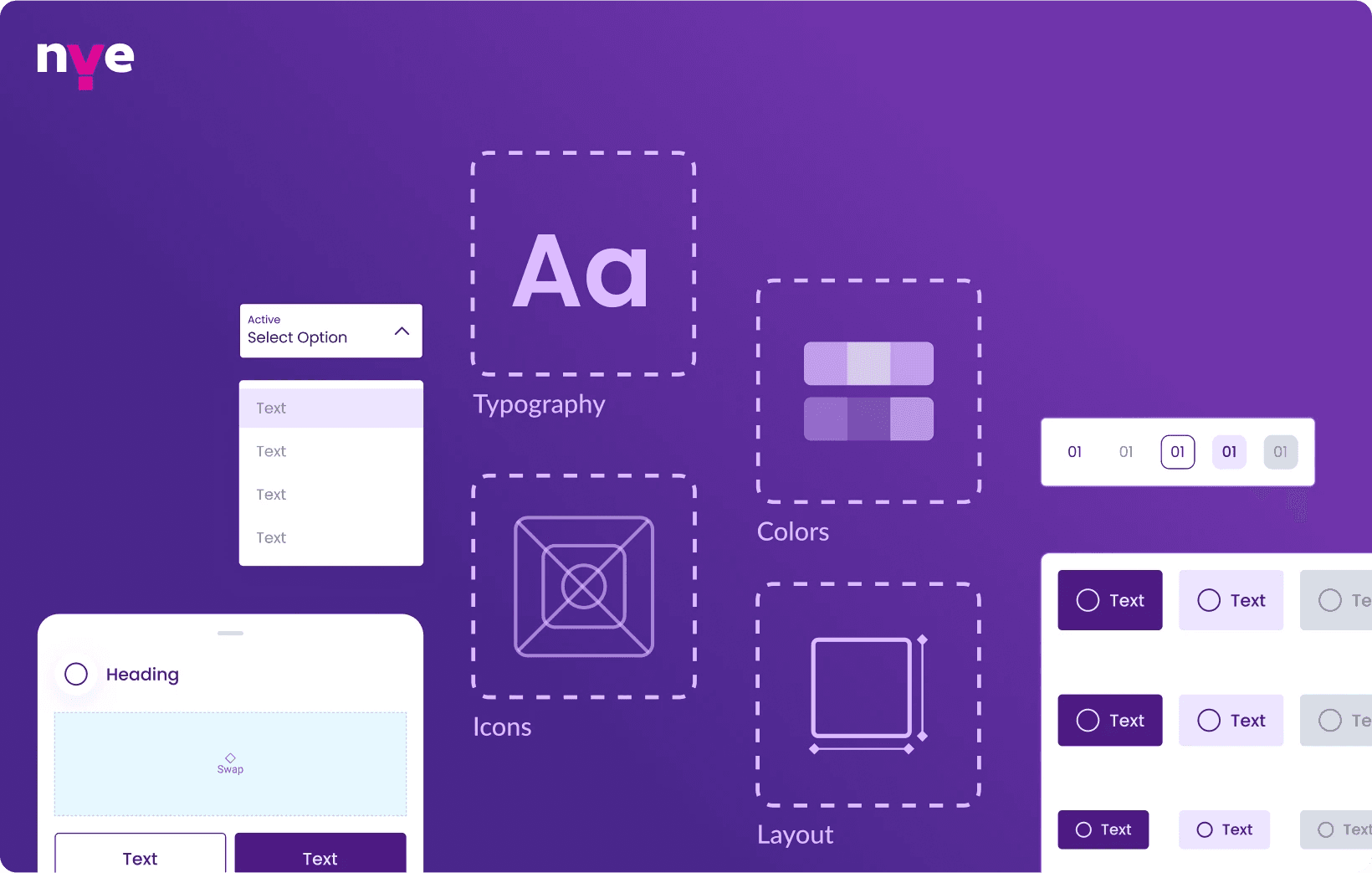
When I joined, there was no proper Design system. Got an opportunity to create a design system from scratch. We created multiple components and standardized the usage of each component.
Objective
To create a design language and keep consistency throughout the app. To achieve efficiency and scalability while reducing costs.
Design systems ensures that every designer in a team is using the right set of assets and components unique to a brand.
Style guide
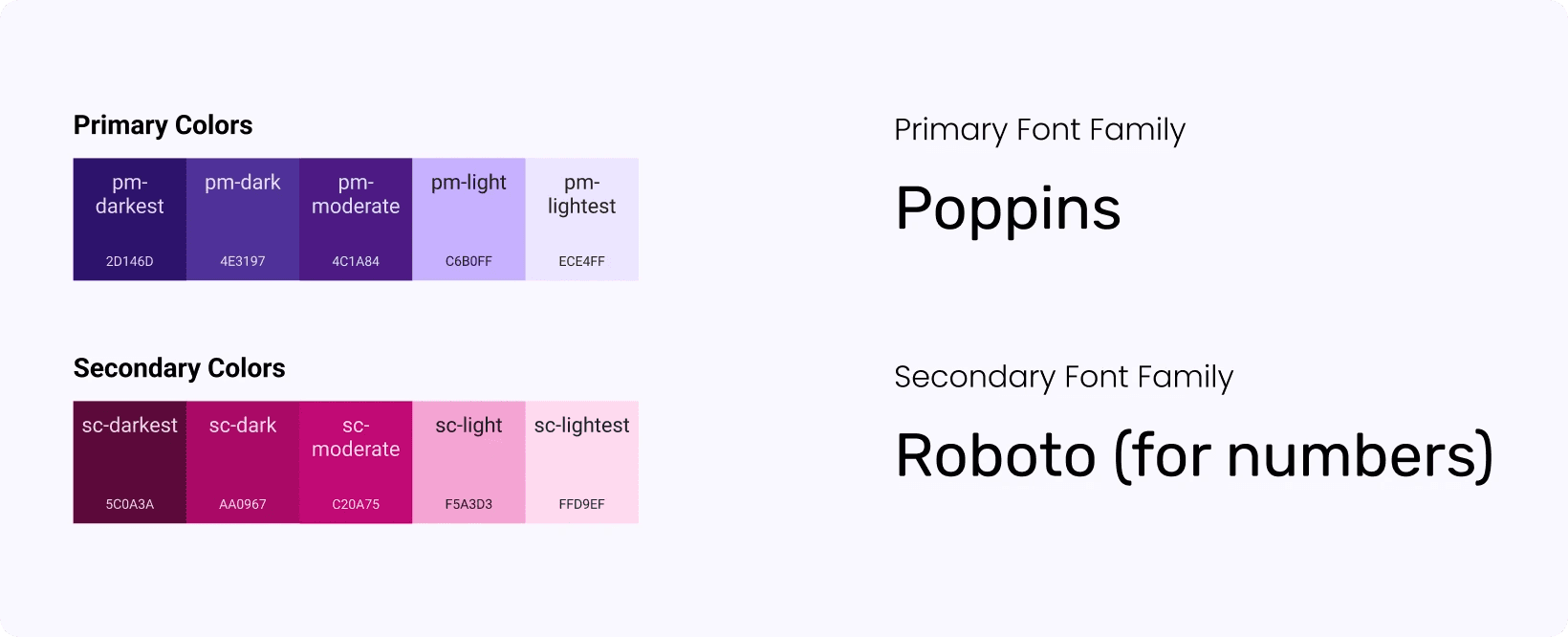
Illustration style

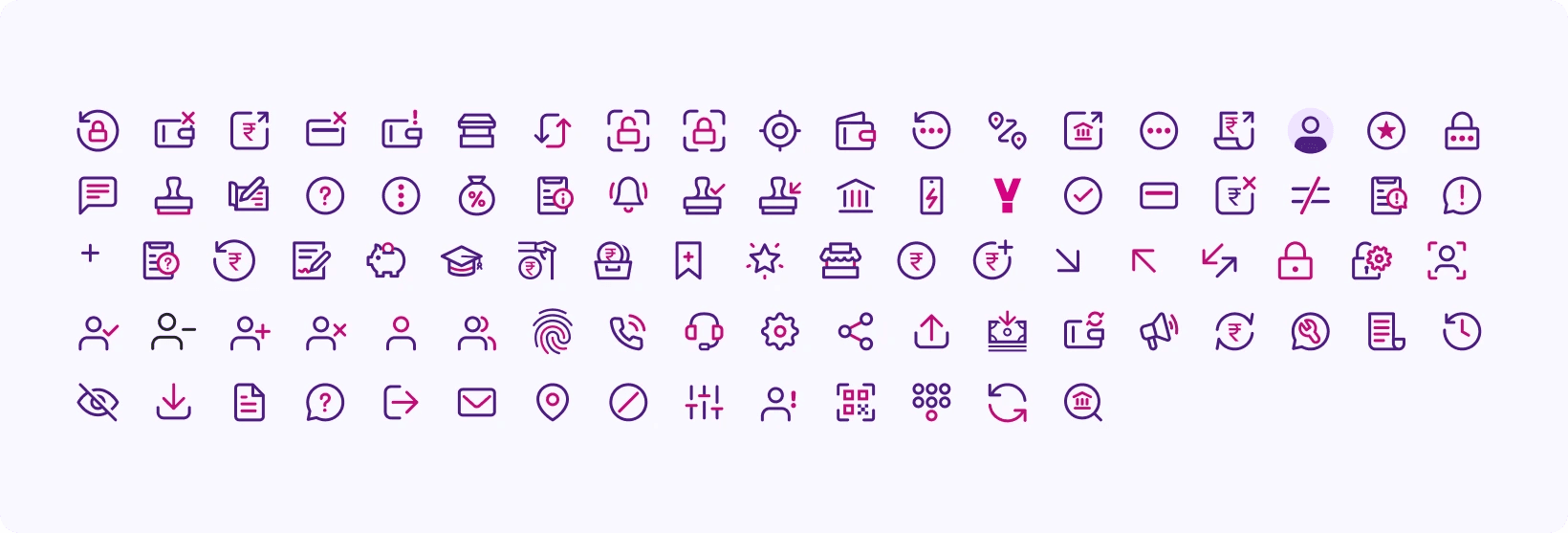
Icons
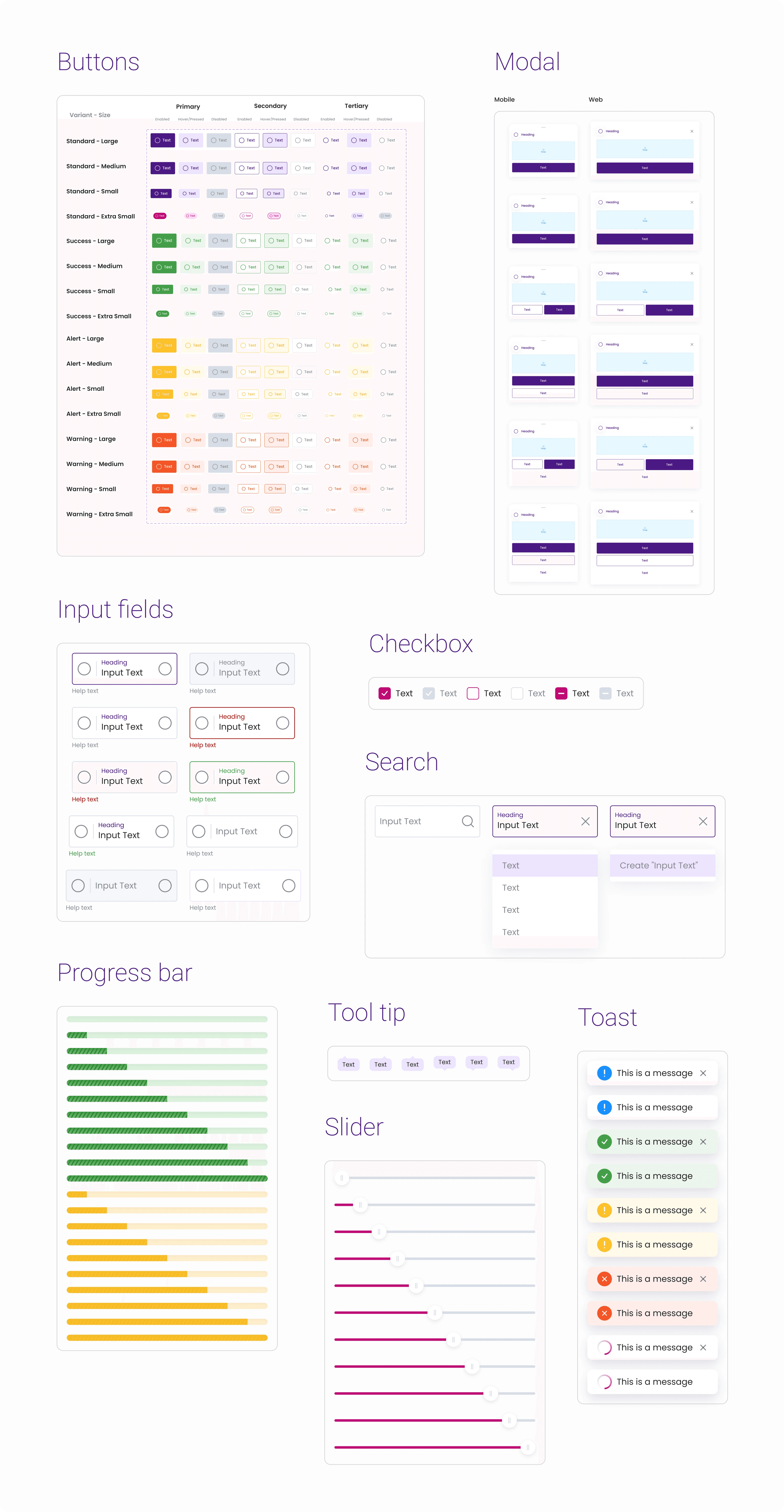
Components
All components have been created using variables (an efficient feature in Figma).
Key takeaways
Design system play an important role in maintaining consistency throughout the product
It requires continuous amendments to the changing requirements of any company
Learned and implemented variants in Figma for components, resulting in efficient productivity
Easy Developer handoff as they can directly pick variants to develop the components

